Moltworker is useful in 2026 if you want an OpenClaw-style personal agent without keeping a Mac mini, NUC, or VPS alive. It is not magic self-hosting. You trade hardware maintenance for Cloudflare-specific configuration, R2 persistence, Access rules, Sandbox containers, and a different trust model.
Quick Verdict: Is Moltworker Worth Using in 2026?
Yes, for experiments, event-driven personal assistants, chat-triggered workflows, and small internal tools where the agent sleeps most of the time. No, for production systems that need a support contract, workflows that depend on local network access, or automations that touch sensitive email, finance, identity, or customer data without careful isolation.
I’ve found that the phrase “self-hosted AI agent” hides the real architecture decision. Local OpenClaw gives you physical control and LAN access, but you own patching, uptime, remote access, backups, and browser automation. Moltworker moves the runtime onto Cloudflare Workers, Sandbox containers, R2, AI Gateway, Browser Rendering, and Cloudflare Access. That removes a lot of home-server work, but it also means Cloudflare becomes part of the security and reliability boundary.
The strongest reason to try Moltworker is operational boredom. No exposed home IP. No reverse proxy on a Raspberry Pi. No Docker daemon quietly failing after a kernel update. No “why did my agent stop because the laptop slept?” debugging. The weakest reason is privacy theater. If your original reason for running an agent locally was “I do not want this workload in a cloud provider,” Moltworker does not preserve that property.
For adjacent agent infrastructure decisions, this fits naturally beside the site’s coverage of GitHub Copilot browser tools and Claude Code artifacts. Those tools solve different problems, but they share the same 2026 pattern: agents are becoming operational systems, not just chat boxes.
What Is Moltworker?
Moltworker is Cloudflare’s open-source reference for running OpenClaw, formerly called Moltbot and Clawdbot, on the Cloudflare developer platform. Cloudflare published the launch post on January 29, 2026, then noted on January 30, 2026 that Moltbot had been renamed to OpenClaw.
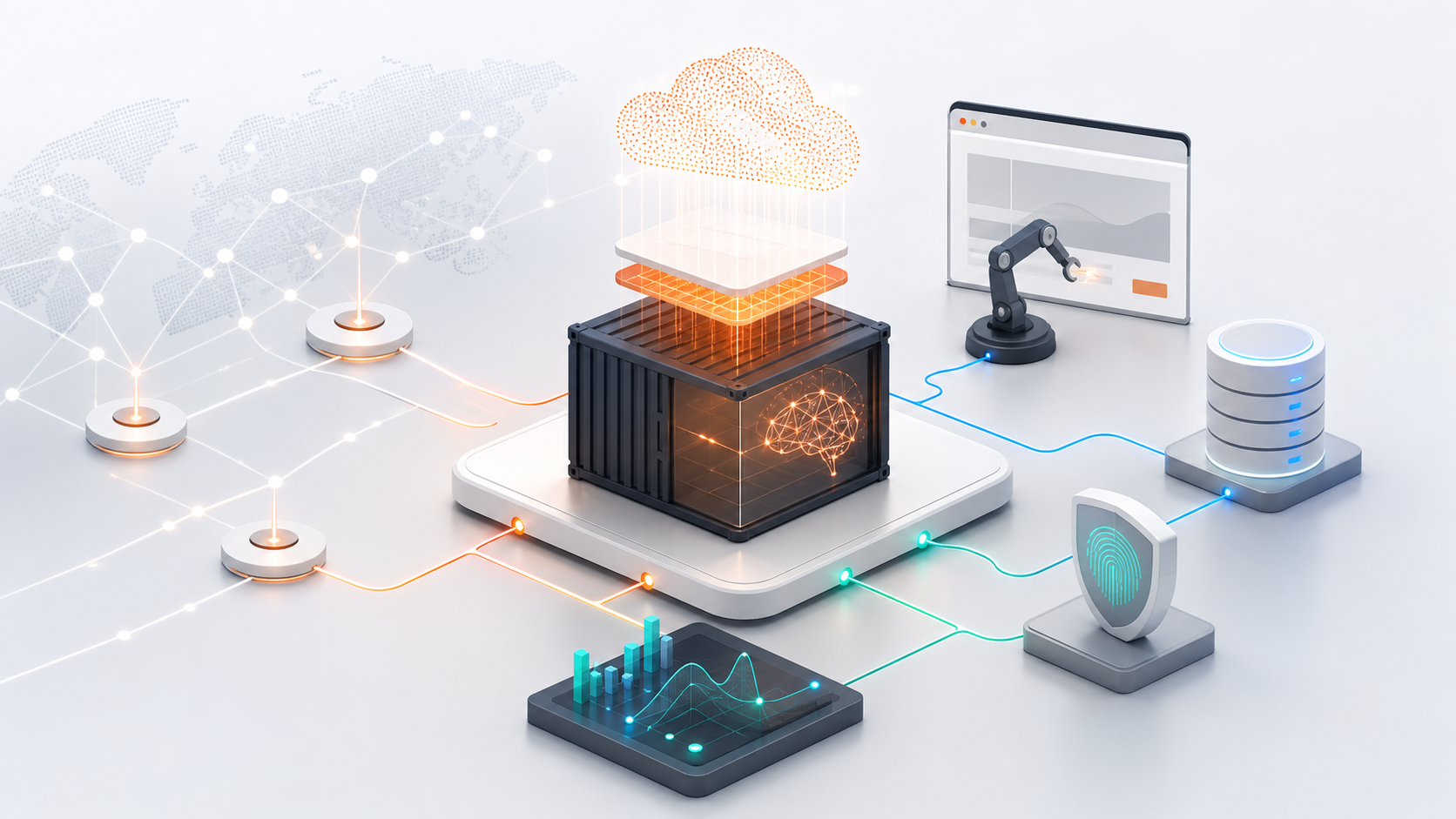
In practical terms, Moltworker is not a polished hosted AI agent product. It is middleware Workers code plus adapted scripts that let the OpenClaw gateway runtime run inside Cloudflare Sandbox containers. Around that runtime, Cloudflare wires in an entrypoint Worker, an admin UI, Cloudflare Access, R2 storage, AI Gateway, and Browser Rendering.
That distinction matters. You are not signing up for “OpenClaw Cloud.” You are deploying a proof-of-concept style stack onto your Cloudflare account. The benefit is that the stack uses infrastructure many developers already trust for edge workloads. The cost is that you now need to understand Cloudflare’s platform boundaries well enough to debug your agent when state disappears, pairing fails, or the first request takes longer than expected.
Moltworker vs OpenClaw: What Actually Runs Where?
OpenClaw is the agent runtime lineage. Moltworker is the Cloudflare deployment pattern for that runtime. The names have changed enough that it is easy to get lost: Moltbot became OpenClaw, and Moltworker is the Cloudflare-side wrapper for running it without your own always-on machine.
In practice, I would think about it like this:
| Option | Runtime location | Best for | Main trade-off |
|---|---|---|---|
| Local OpenClaw | Your laptop, mini PC, or home server | Maximum local control, LAN access, local files | You own uptime, patching, remote access, backups |
| VPS OpenClaw | A rented Linux server | Predictable server model, custom binaries, long-running processes | You still manage Linux, Docker, TLS, hardening |
| Moltworker | Cloudflare Workers plus Sandbox containers | Event-driven agents without hardware maintenance | You adopt Cloudflare services and constraints |
The Cloudflare version is not simply “local OpenClaw but cheaper.” It is a different deployment model. The agent may feel self-hosted because it runs in your Cloudflare account and uses your configured providers, but the compute, persistence, auth, browser automation, and observability are all cloud services.
That can be a good trade. I would rather put a low-risk webhook assistant behind Cloudflare Access than maintain a fragile home tunnel. I would not move a LAN automation agent that controls NAS shares, home devices, or private source mirrors into Moltworker and expect the same behavior.
How Does The Architecture Work?
Moltworker’s architecture is straightforward once you stop reading it as a single app. It is a small distributed system.
How Does The Worker Router And Admin UI Fit?
The entrypoint Worker handles routing and proxying. It receives API requests, exposes the admin surface, and sits in front of the gateway runtime. This is the part that makes Moltworker feel like a Cloudflare-native deployment instead of a random container running somewhere.
The admin UI matters because device pairing is part of the access model. The official README warns that you should enable Cloudflare Access for admin, API, and debug routes before using the Control UI. Remote Control UI access needs a gateway token, but new devices still require approval through the admin UI.
That is a sane default for a personal agent. It is also a reminder that this is not a “deploy and forget” app. If you misconfigure the routes, leave debug paths exposed, or skip pairing discipline, the agent surface becomes exactly the kind of high-value automation endpoint attackers look for.
Why Do Sandbox Containers Matter?
Cloudflare Sandbox containers run the OpenClaw gateway runtime and integrations. This is where Moltworker gets more interesting than a normal Worker-only app. Classic Workers are excellent for request/response logic, but AI agents often need heavier runtime behavior, package compatibility, browser automation, and tool execution.
Cloudflare’s Node.js compatibility work is part of the reason this is plausible. In its launch material, Cloudflare said that after excluding build tools, CLI tools, and browser-only packages from the 1,000 most popular npm packages, only 15 were genuinely incompatible. That does not mean every agent dependency will work. It does mean the compatibility story is no longer “rewrite everything for edge JavaScript.”
There is a startup penalty. The official README says the first request can take one to two minutes while the container starts. That is fine for a personal assistant you trigger manually. It is poor fit for latency-sensitive customer workflows unless you have tested the exact path and can tolerate cold starts.
How Does R2 Persistence Work?
R2 is the first footgun I would check in any Moltworker deployment. Containers are ephemeral. By default, configs, paired devices, and conversation history can disappear when the container restarts unless R2 persistence is configured.
Moltworker’s persistence model is backup and restore, not a magical mounted disk. The README describes startup restore, a cron backup every five minutes during operation, and an optional manual backup from the admin UI. That is good enough for many personal workflows, but it changes how you think about durability.
If your agent performs multi-step work, the five-minute backup cadence creates a failure window. If you pair a device, change config, or build up conversation context and the container dies before backup, you need to know what state can be lost. For low-risk chat and automation, that may be acceptable. For anything business-critical, I would want explicit state writes to a durable system I control rather than relying only on periodic backup.
What Do AI Gateway And Browser Rendering Add?
Cloudflare AI Gateway gives model routing and observability. Instead of scattering provider calls across the runtime, you get a single place to inspect traffic, configure providers, and reason about model usage. If you have ever had an agent quietly burn tokens because a loop kept retrying, central observability is not a luxury.
Browser Rendering gives the stack headless Chromium-style web automation. This is useful for agents that need to inspect pages, click through simple flows, or collect visual state. It also adds cost and security considerations. Browser automation is exactly where prompt injection and hostile web content become practical concerns, especially when the agent has useful credentials or tool access.
This overlaps with the broader agent debugging problem covered in the CVE-2026-56076 PraisonAI vulnerability guide: an agent endpoint with broad tools and weak boundaries becomes a security issue fast. Moltworker’s Cloudflare Access layer helps, but it does not remove the need to constrain tools.
What Is The Setup Experience Like?
Expect platform setup, not a one-command toy. Before I would call a Moltworker deployment usable, I would verify these pieces:
Cloudflare Workers Paid plan
Sandbox containers enabled
Cloudflare Access protecting admin/API/debug routes
Gateway token configured
Device pairing tested through the admin UI
R2 bucket configured for backup and restore
Cron backup running every five minutes
AI Gateway routing tested with your model provider
Browser Rendering tested if the agent needs web automation
Secrets scoped to the minimum services required
The minimum Workers paid plan matters because Sandbox containers require at least the $5/month Cloudflare Workers paid subscription. After that, the real bill depends on R2 usage, Browser Rendering, AI Gateway traffic, model provider costs, and how much the agent runs. A competitor guide estimated a typical Moltworker deployment around $10-15/month after common Cloudflare services are included. I would treat that as a useful personal-project estimate, not a contract.
The hidden setup cost is conceptual. You need to understand which state lives in the container, which state is restored from R2, which secrets are available to the runtime, which routes are protected by Access, and which model calls flow through AI Gateway. If that sounds like normal infrastructure work, Moltworker will feel manageable. If you expected a consumer AI assistant, it will feel unfinished.
Is Moltworker Cheaper Than A Mac Mini Or VPS?
Usually yes for low-duty personal agents, but cost is not the only axis.
A used Mac mini or mini PC can run agents, browsers, local files, cron jobs, and LAN integrations for years. The cash cost amortizes well if you already own the hardware. The maintenance cost is the real problem: OS updates, reboots, home network changes, power, storage, remote access, and keeping secrets off a machine that also gets used for other things.
A VPS is predictable. For $5-20/month, you get a familiar Linux box. You can run Docker, install custom binaries, keep long-running processes alive, and use normal backup tooling. The downside is that you are back to server administration: SSH hardening, package updates, firewall rules, logs, TLS, monitoring, and incident response.
Moltworker is cheaper when your agent is event-driven and light. It gets more expensive when Browser Rendering is heavy, model usage grows, or you start treating the stack like production infrastructure. It is also less flexible than a VPS for custom binaries, local filesystem assumptions, and long-running autonomous loops.
Where Does Moltworker Make Sense?
The best Moltworker use cases are discrete, externally triggered workflows:
| Use case | Fit | Why |
|---|---|---|
| Personal chat assistant | Strong | Remote access and Access protection matter more than local hardware |
| Webhook-driven automation | Strong | Workers routing and event-style execution fit naturally |
| Lightweight team assistant | Good | AI Gateway observability and Cloudflare Access are useful |
| Browser-based research helper | Good | Browser Rendering can avoid maintaining local Chrome |
| Long-running monitoring agent | Weak | Containers and cold starts are the wrong shape |
| LAN automation | Weak | Cloudflare-hosted runtime loses local network proximity |
| GPU-heavy local AI | Poor | This is not a GPU workstation replacement |
I’ve found that agent reliability improves when the deployment model matches the workload’s natural rhythm. Moltworker is a good fit when the agent wakes up because a user sent a message, a webhook arrived, or a scheduled task fired. It is a poor fit when the agent needs to sit in a loop, watch local files, maintain a long-lived browser session, or interact with machines only reachable on a private network.
What Are The Main Limitations?
The first limitation is maturity. Moltworker should be treated as a Cloudflare platform proof of concept and reference implementation, not a production-ready managed service. That does not make it useless. It means you should budget for reading README details, testing failure modes, and owning the deployment.
The second limitation is persistence. R2 backup/restore is practical, but it is not the same as designing a transactional state model. If losing the last few minutes of state would hurt, you need a stronger persistence strategy.
The third limitation is local control. The Hacker News reaction to Moltworker was predictable and fair: moving a “self-hosted” assistant from local hardware to Cloudflare weakens the local privacy and local-network story. That objection is not pedantry. It is the central trade-off.
The fourth limitation is supportability. If you build an internal tool on Moltworker and it breaks because of a platform change, container issue, package incompatibility, or AI provider behavior, your team owns the debugging path. For many engineering teams, that is acceptable for prototypes and internal assistants. For customer-facing production systems, I would be cautious.
How Secure Is Moltworker?
Moltworker gives you useful security primitives, not a complete security model.
Cloudflare Access is a strong starting point for protecting admin, API, and debug routes. Device pairing is also meaningful because a gateway token alone is not supposed to enroll new devices silently. Running inside Cloudflare infrastructure can reduce the common home-server mistake of exposing an admin panel through a weak tunnel or misconfigured reverse proxy.
But those layers do not solve agent-specific risks:
Prompt injection from web pages or documents
Overbroad tool permissions
Secrets available to browser automation
Third-party API keys in the runtime
Model-provider data exposure
Unreviewed autonomous actions
State leakage through logs or conversation history
Misconfigured Access routes
For a personal deployment, I would create purpose-built accounts for the agent, avoid primary email and finance access, scope API keys tightly, and keep Browser Rendering away from authenticated sessions unless there is a clear reason. For a team deployment, I would add logging review, secret rotation, route inventory, and a documented recovery path for lost R2 state.
The right mental model is “Cloudflare helps with perimeter and platform hygiene.” It does not make an unsafe agent safe.
How Does Moltworker Compare With Local OpenClaw And VPS Hosting?
Choose local OpenClaw when local access is the product. If the agent needs your LAN, local files, local browser profile, specialized hardware, or offline behavior, running it near those resources is simpler and safer. You pay with maintenance.
Choose a VPS when you want a normal server. If you need custom binaries, long-running processes, direct filesystem persistence, or a conventional deployment pipeline, a small Linux host is boring in the right way. You pay with server operations.
Choose Moltworker when you want to avoid machine maintenance and your workflow is naturally cloud-triggered. If the agent mostly responds to chat, webhooks, scheduled events, or browser-rendered web tasks, the Cloudflare stack makes sense. You pay with platform-specific configuration and a cloud trust boundary.
That is the honest Moltworker review in 2026: the maintenance burden moves. It does not disappear. Instead of patching a machine, you configure Workers, Sandbox containers, Access, R2, AI Gateway, Browser Rendering, secrets, and device pairing. For many developers, that is a better burden. For some, it is just a different one.
Who Should Use Moltworker?
Use Moltworker if you are a developer already comfortable with Cloudflare and want a personal or small-team agent that can be remotely reachable without running hardware. It is especially compelling if you already use Workers, R2, Zero Trust, or AI Gateway elsewhere.
I would use it for a personal research assistant, a team chat helper, webhook triage, periodic browser checks, or a demo that needs agent behavior without provisioning a server. I would also use it as a learning project for modern agent infrastructure because it forces you to confront the real pieces: routing, auth, persistence, model observability, browser automation, and tool permissions.
Avoid Moltworker if your workload is sensitive, continuous, deeply local, GPU-dependent, or production-critical. Sensitive finance workflows, primary inbox automation, customer support actions with write access, and local-network operations deserve a more deliberate architecture.
What Is My Final Verdict?
Moltworker is one of the more interesting self-hosted AI agent experiments of 2026 because it admits the uncomfortable truth: most developers do not want to maintain agent hardware. Cloudflare’s stack can remove the annoying parts of running a personal agent, especially remote access, browser automation, routing, and basic perimeter security.
The trade-off is that “self-hosted” becomes a spectrum. With Moltworker, you control the deployment in your Cloudflare account, but you no longer control the physical runtime, storage layer, browser environment, or access platform. That is fine if your goal is convenience and operational sanity. It is not fine if your goal is strict local ownership.
My recommendation is to try Moltworker for low-risk, event-driven agents and treat it as infrastructure, not a gadget. Configure Access first. Pair devices deliberately. Turn on R2 persistence and test restore. Watch cold starts. Keep secrets narrow. Do not give the agent high-value accounts until you have seen how it behaves under failure.
FAQ
Is Moltworker production ready in 2026?
I would not treat Moltworker as production-ready in the managed-service sense. It is better understood as an open-source Cloudflare reference deployment for OpenClaw. Use it for experiments, personal assistants, and carefully scoped internal workflows before putting customer-facing systems on it.
Does Moltworker still count as self-hosted?
Partly. You run it in your own Cloudflare account and control the configuration, but the runtime, storage, access layer, and browser automation live on Cloudflare infrastructure. If your definition of self-hosted requires local hardware or full infrastructure ownership, Moltworker will not satisfy it.
What happens if I do not configure R2 persistence?
You can lose configs, paired devices, and conversation history when the container restarts. Moltworker uses an R2 backup/restore approach: restore on startup, scheduled backup about every five minutes, and manual backup through the admin UI. That setup should be verified before serious use.
How much does Moltworker cost?
Sandbox containers require at least the $5/month Cloudflare Workers paid plan. A realistic personal deployment may land around $10-15/month once R2, Browser Rendering, AI Gateway, Access assumptions, and usage are considered. Model provider costs are separate and can dominate if the agent loops or uses expensive models.
Should I choose Moltworker, local OpenClaw, or a VPS?
Choose Moltworker for cloud-triggered, low-maintenance agents. Choose local OpenClaw for LAN access, local files, or strict local control. Choose a VPS when you want a conventional server with custom binaries, long-running processes, and more predictable filesystem behavior.